Your listings.
One link.
A page with every property you’re selling and your Messenger, Viber and number on top. Share it on Facebook, in your bio and in chats.
Sign up with your email or Google. You can change the name before it’s saved.
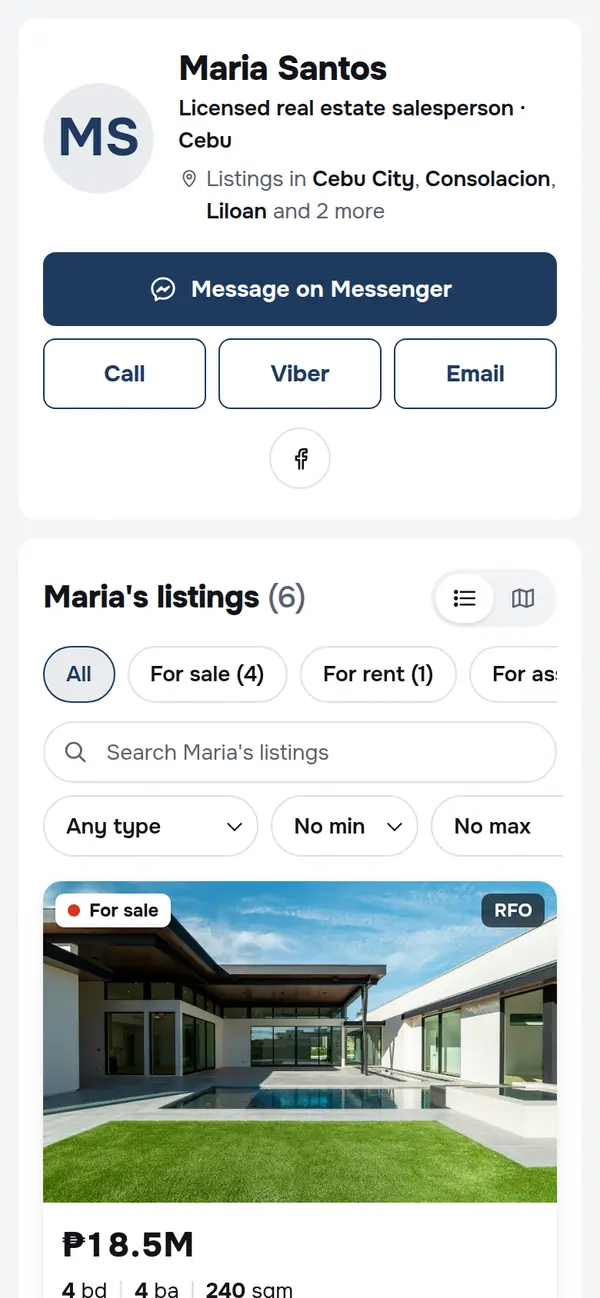
A sample page. Maria Santos and her listings are made up.
Share it where buyers already are
- Messenger
- Viber
- TikTok
Your page
Every listing, and every way to reach you
Messenger, Viber, WhatsApp, a call or email on top; all your properties below. Buyers pick a listing or message you straight away.
- You choose the big button
- Listings grouped for sale, for rent and for assume
- Search by price, type and bedrooms
Listings
Listing pages buyers can actually read
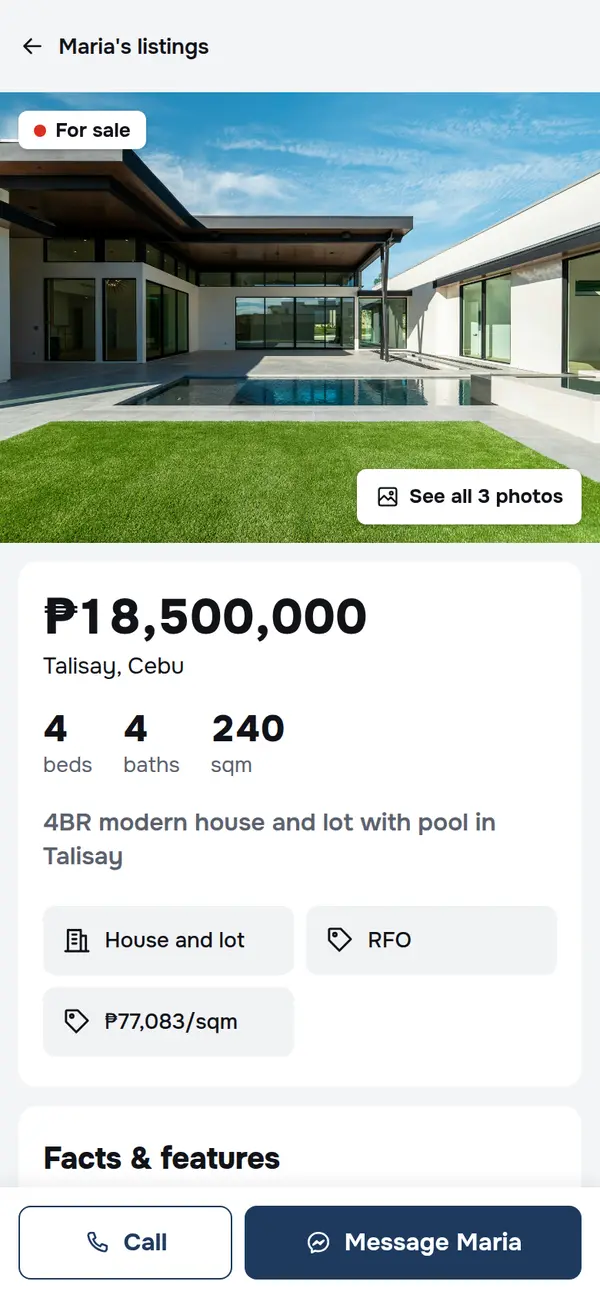
Big photos, the price, beds, baths and size first, then the details Filipino buyers ask about: payment terms, Pag-IBIG, RFO or preselling.
- Its own link for every listing
- Video tours that load only on tap
- Message or call from the bottom of the screen
Map search
Buyers look around on a map
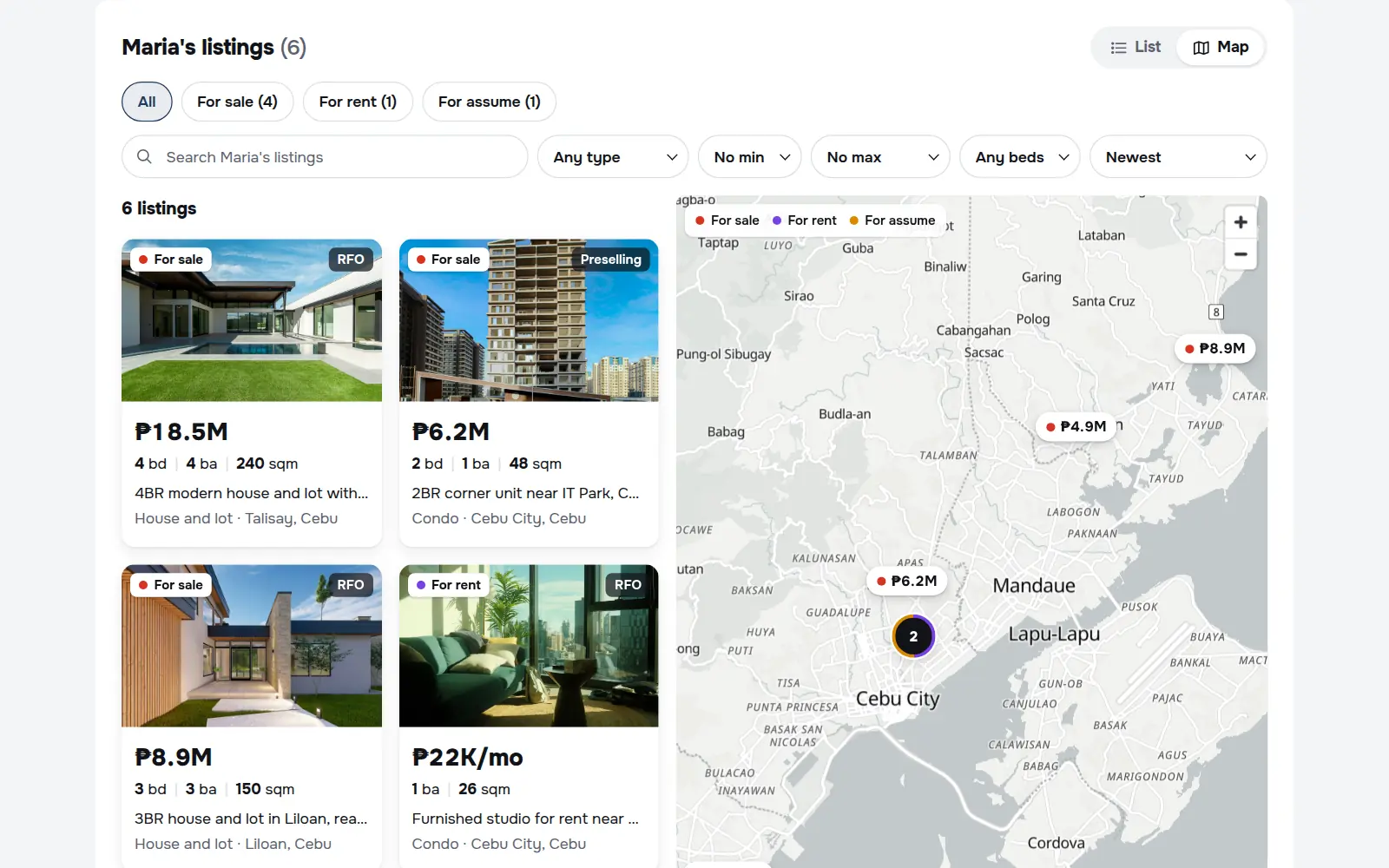
Every listing with a pin shows on your map, priced and coloured by deal. Exact spots stay private until you choose to show them.
- For sale, for rent and for assume at a glance
- Shows the area, not the house, by default
- Works on mobile data
Stats
See what buyers look at
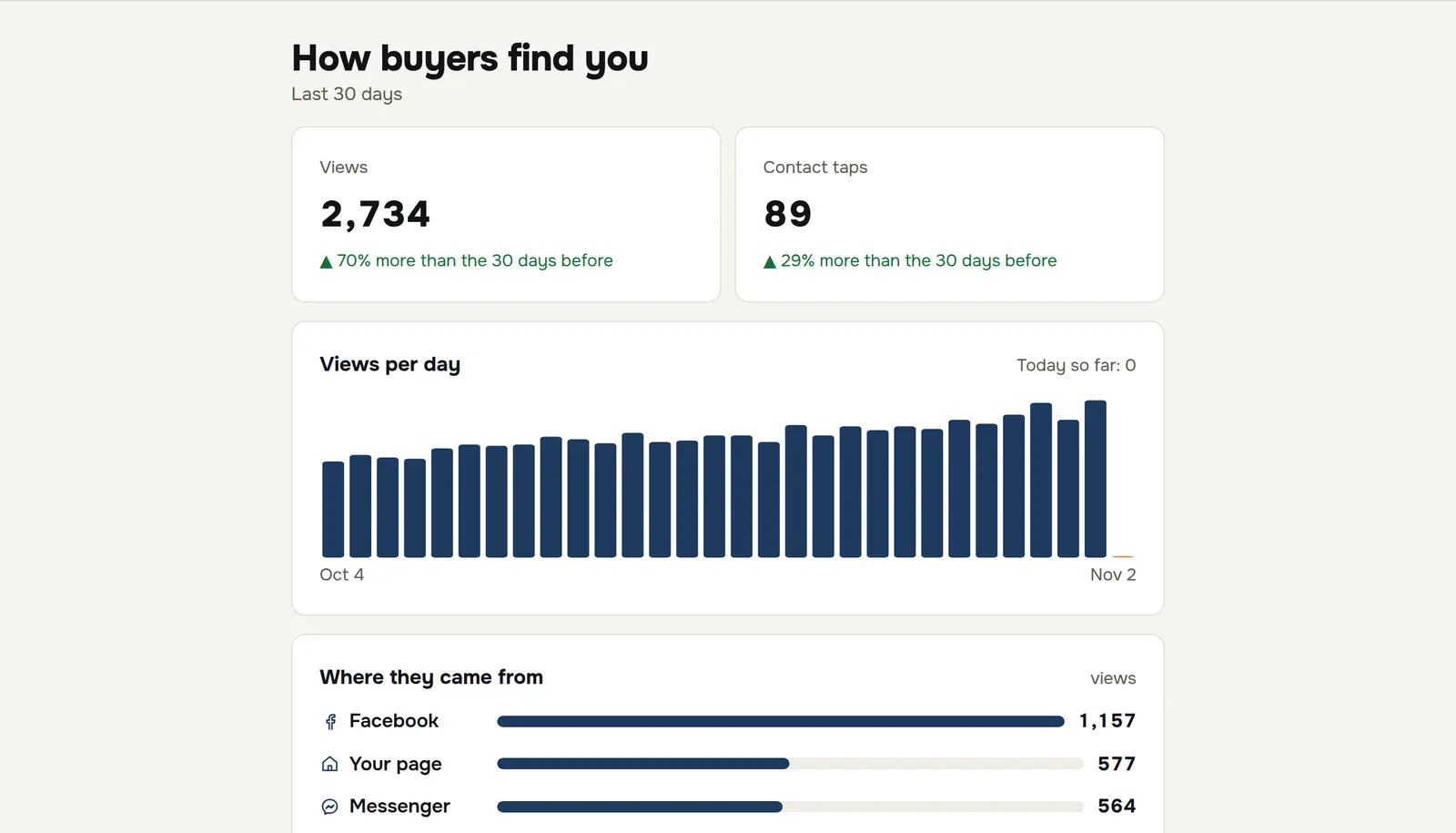
Views and contact taps for the last 30 days, where buyers came from, and which listings get the attention.
- Facebook, Messenger, Google or a shared link
- Which button buyers tap
- Your own visits don’t count
And the rest
Everything else is already done
- 01
Exact spot only if you say so
Listings show the area by default. Turn on the exact location per listing.
- 02
Previews that sell
Links show the photo, price and your name when you post them on Facebook or send them in Messenger.
- 03
Only your listings
Not a portal. Your page shows your properties and nobody else’s.
- 04
Found on Google
Every listing is its own page, ready for buyers searching a project or area.
- 05
No forms, no middleman
Buyers reach you on your own chat or number. The conversation is yours.
- 06
Your link stays put
Your page name is set when you sign up, so links you’ve shared keep working.
How it works
Your page in three steps
Claim your link
Pick your page name and add how buyers reach you.
Add your listings
Photos, price, where it is and the details buyers ask first. A few minutes each, on your phone.
Share it everywhere
Your Facebook bio, your posts, your chats. Buyers message you directly.
Questions
Do buyers need an account?
No. They open your link, browse, and message or call you.
How do buyers contact me?
Through your own Messenger, Viber, WhatsApp, phone number or email. You choose which one is the big button. Messages go straight to you.
Does it work in the Facebook and Messenger apps?
Yes. Pages are built for phones and slow connections, and links show a preview with the photo when you post them.
Will my exact address show?
Not unless you turn it on for that listing. Until then, buyers see the area, not the house.
Can I change my link later?
Your link is set when you sign up, so the links you’ve already shared keep working. If you really need a new one, contact us.
Make your page in a few minutes.
Your listings and your contact details, on one link you can share anywhere.
Get your link